Invoices come through different channels
Email, uploads and mobile photos are different inputs. Before automating, we agree where they go and how the document is identified later.
DOCUMENTS, AI & APPROVALS
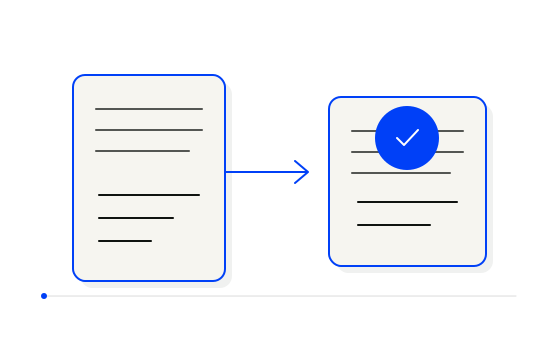
Processing an invoice involves more than reading numbers from a file. The document needs to be collected, its data extracted, matched to transactions, reviewed where necessary and passed to the right place. I help connect those steps into a controlled workflow.
WHY START NOW?
A ledger, a spreadsheet and a connected invoicing system support very different ways of working. When a person moves invoice data between emails, files and applications, the entry work repeats with every document. Connect one verifiable step first and keep human approval for more complex decisions.
Eurostat reports that 20% of EU enterprises with at least ten employees used AI in 2025, up from 13.5% in 2024. Adoption is already under way. Eurostat, 2025 ↗
Choose your first stepWHERE THE WORK GETS STUCK
Email, uploads and mobile photos are different inputs. Before automating, we agree where they go and how the document is identified later.
OCR and AI can help extract fields. Checks matter too: is the information complete, and does it fit the next system?
The invoice, related transaction and human decision need to form a clear whole. An uncertain match should not quietly pass to the next step.
EXAMPLE WORKFLOW
Email, file or a document added from mobile.
OCR and AI help identify the fields.
Matching and human review where needed.
Documents reach accounting with their context.
YOUR EXISTING SYSTEMS
I establish document sources, required data formats and the integration options of accounting and banking software. Connections depend on APIs, exports, permissions and service conditions.
A pilot needs representative documents and agreement on what requires review. A missing invoice number, a different total or an ambiguous transaction match may need a person’s decision.
REAL WORK & A PRACTICAL EXAMPLE
Collecting documents, reading data, matching transactions and handing over to accounting are connected tasks. When handled separately, someone has to initiate each next step.
InvoiceFlow collects documents from email and uploads. OCR and AI read invoice details; bank connections bring transactions, income and expenses together, and the workflow supports the handover to accounting.
Users choose autonomous steps and human approvals. Left-hand keyboard shortcuts speed up review, and the system learns from choices. Photos can be exported from mobile with one click.
AUTOMATION & HUMAN DECISIONS
We agree which documents can move forward automatically and which require review. For AI-extracted data, we define both the expected result and the situations in which automation must stop.
Repeated files, missing fields or changed transactions may need different handling. Review rules and responsibility should be defined before the workflow uses real documents.
SCOPE & HOW PRICING WORKS
The first scope can cover one document channel, a defined set of fields and one handover method. Acceptance criteria specify what the system needs to recognise and which exceptions it must present to a person.
Price depends on document types, volumes, checks, integrations and data quality. We clarify OCR, AI and other service costs separately, then agree on implementation price and timing before starting.
BEFORE WE START
That cannot be promised before assessing inputs and review requirements. We define the suitable automatic steps and the cases needing a person.
The work described here concerns documents, data and how they move. Accounting decisions and responsibility remain with the agreed roles.
The InvoiceFlow example works on mobile and supports photo export. Mobile intake and integrations in your solution depend on the agreed scope.
Start with the incoming channel, the review needed and the destination system. Those give us a clear first scope.
Let’s talk about your invoice workflow